Pages

Thursday, April 28, 2011

Sony's 4-Step Plan To Destroy Apple


Sony was, at a time, the most well-known name in consumer electronics, but the company has lost its mojo. It has been relegated to the middle of the pack while a company by the name of Apple shines brighter than ever. But does Sony have a plan to regain its former glory?
I’m not going to claim to know what that plan is, but I believe they do have a plan that the intend on executing in the next few years to put the company back on the map in innovation. If I was the CEO of Sony, these four steps would be the key to regaining our former glory. Sony does have the power and resources to accomplish these goals. But the question is whether or not they will be able to execute them.
But let’s be optimistic about Sony for a moment. What would they need to do to regain their image as the best?

Step 1: Mimic Apple

Interestingly enough, the first step is tried and true for anyone learning to do something well: learn from the best. Apple is currently raking in $60 billion in revenue last year, but Sony pulled in an impressive $77 billion in revenue during the same time. And while Apple is, quite clearly, doing something right, Sony stands tall on its own. But numbers can be deceiving. Apple has everything going their way, and it is only a matter of time before Sony feels the hurt.
But if Sony takes a few pages from Apple’s playbook, we could be telling a different story in the future.

First, Sony needs to create a distribution platform similar to Apple’s. Everyone wants to be a part of Apple’s iTunes Marketplace and App Store, from Hollywood movie studios to third-party developers, but Sony wants to be in that position. When you generate interest from consumers, developers, and creators of content, you essentially become one of the most powerful companies in the tech world, which happens to be Apple. But if Sony could put together a superior service than the iTunes Marketplace (they could start by actually building a better iTunes application, which really does blow), it could be a promising start.
Next, Sony should rethink its user interface and software platforms. Currently, Sony has an impressive UI that stemmed from the development of the PSX — the XrossMediaBar user interface. But I’m not sure if it is optimal for touch-based input, which is the future. If Sony wants to compete with Apple, consumers need an interface that can present more information and give easier access to that information than their current UI.
Then, Sony should develop more first-party applications for their platforms. These apps would need to do useful things that will help consumers understand the value that Sony offers — these applications must be unique and memorable. It’s no mistake that some of the most-used applications on a platform like Android, for example, are created by Google. If Sony creates a platform and creates high-quality applications for it, they will, at the very least, earn the respect of consumers and developers.
Finally, Sony needs to create new kick-ass hardware (more on that in step 2).

Step 2: Consolidate

The second step is to consolidate Sony’s current products and platforms. If Sony reduces its efforts to producing only a handful — here is the “less is more” argument — of smart phones, tablets, and netbooks while combining its content platforms into one unified system, the company would be in a much better position to compete with Apple.
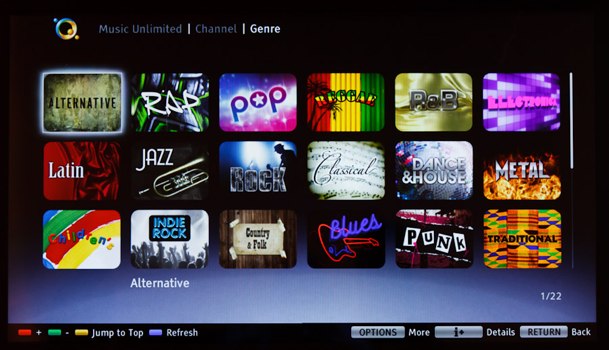
Sony should begin by combining Music Unlimited, Qriosity, PlayStation Store, Reader Store, and any other content platforms that the company has into a unified platform like iTunes (Sony has already combined Music Unlimited and Qriosity, to their credit). Apart from providing developers and content providers a centralized location to deal with and directing consumers to a single platform to make all their purchases from, this would give Sony a single platform from which to base all of their hardware on. This is a very important step, and one that I have also criticized Microsoft about in the past.

(It is interesting to note that Apple is beginning to suffer from this very issue. There are three separate App Stores for the Mac, iPad, and iPhone alone. This segregation of developers and consumers could be causing unnecessary confusion for consumers and developers, which is sure to get worse if Apple continues at this rate. This isn’t that big of a deal right now, but it could become one in the future.)
After getting content platforms sorted out, Sony could then move on to creating a new breed of devices and products to harness it. They would create a flagship device for every consumer product category out there — with the most important being the smartphone. If Sony were to create a flagship mobile device that harnesses the power of a unified content platform, it would put Sony in a much better position to compete with Apple. Televisions, notebooks, netbooks, tablets, and e-readers would follow suit.
If they get this far, even I would be impressed. And then it would be time for Sony to focus on the competition.

Step 3: Cripple Apple

The third step might not be as difficult as it would appear. It starts off relatively simple: Sony would withdraw all of its content from the Apple ecosystem. This means that all of Sony’s artists that are signed to the company’s labels and all of Sony’s film and television content would no longer be available for purchase from within Apple’s iTunes marketplace.
If we entertain the idea that Sony would actually pull its content (and Sony’s COO sounded very confident that this could happen in time), this act alone isn’t what would devastate Apple. It only becomes a powerful statement if the remaining trio of the “Big Four” music labels and the rest of the “Big Six” movie studios stand with Sony. Apple would then have a situation on its hands.

These companies would still provide their content to Apple customers by either forcing Apple to agree to their terms or by providing applications that provide access to the content purchased from Sony’s own service, but if they don’t allow Apple to sell it, consumers would have to flock to Sony to purchase the content, which would put the ball in Sony’s court.
(Keep in mind, however, that this is a best case scenario. And while it wouldn’t be difficult to get the ball rolling on this, it would be difficult to convince other content providers to abandon Apple and to switch to Sony’s content platform instead.)
If Sony pulled it off — and this is an optimistic outlook of things — it could make Sony a far more attractive company to the groups that count: consumers, content providers, and developers.

Step 4: Win Developers' Interest

Speaking of developers, this is the last step for Sony to reach the pinnacle of tech stardom. Without the support of third-party developers, all of the actions taken by Sony would not matter, because Apple (or Google, Research In Motion, Microsoft, etc.) would still have the most important piece of the pie — the creativity and innovation from the outside world.
This is the primary reason that iOS is so intriguing to consumers. It is the best platform for seeing the best of what the tech industry can create. There is an application for almost anything you could imagine, and the best part is that these applications are with you wherever you go. Without this same enthusiasm by developers, Sony has no chance of dethroning Apple from its position.
And while this is all purely theoretical (I’m not exactly confident in Sony’s ability to pull anything off, especially the things I have listed above), if Sony actually did everything I mentioned above, there is actually a chance that Sony could take down Apple.

How Sony Can Recover From Their PSN Nightmare


If you were in the management team at Sony – especially Sony Computer Entertainment – life is probably a little stressful right now. Knowing that you may have lost the personal data of 77 million of your customers, maybe even including their credit card info is cataclysmic. All companies have their ups and downs but this is a huge deal, and the impact of Sony’s
Good thing Sony weren’t trying to start a business in the cloud or anything. Oh, right. Oops.
But presented with a massive PR bungle, companies have no choice but to try and repair the damage and recover. So how does Sony, a company that already has a checkered past go about fixing this massive mess?

Refund paying customers

This should be obvious, but anyone who pays for PSN+ (regular PSN service being free) should be a refund for more than the amount of time the network is down. It’s a no-brainer, but it needs to be said. You cannot simply refund members for the exact number of days PSN was inaccessible in a PR disaster like this.

Give out free stuff

This is crass, but there’s no solution to angry customers like free stuff.
Ideally, the solution should be some kind of voucher system that includes both movie and games. Send out codes that can be redeemed for $5 or $10 for use on the Playstation Store for downloadable titles, DLC, and movies/TV from the Video Store.
But, that solution could cost Sony a couple of hundred million dollars, which may be too much. Better perhaps to have days of discounts or freebies on the Playstation Network where users could get cheap or free access to games or movies on specific days.

Make transparency a new mission.

Sony have already come under fire for what is at least perceived as far too long a gap between the network going down and an announcement of a personal data breach.
So now what they must do is not only be open about their new security (as much as they can, obviously), they must also simply make the functioning, terms and conditions and limitations of their network clear.
Now is not the time to say “yes, we’ve taken care of the problem, trust us”.

Increase the availability of prepaid cards

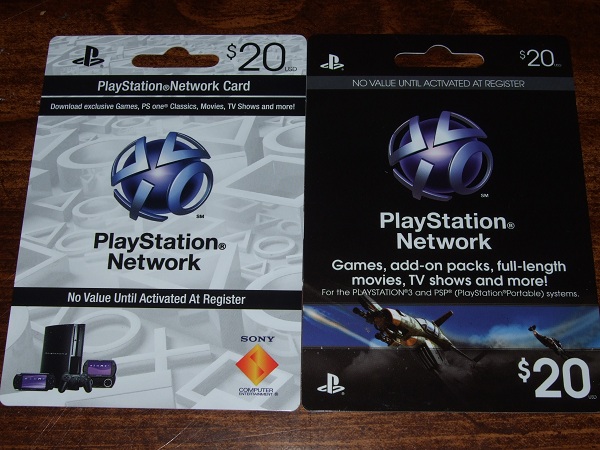
Wit users understandably edgy about giving credit card details, it’s time to make sure everyone knows about prepaid PSN cards. Print off a hundred thousand or so of those cards, maybe even sell them at a discount. Do what you must to get people using your service again.

Distract users with new services

Again, it’s crass, but it’ll work. Add features to PSN. NOW would be the time to add cross-game chat, a feature users have been clamoring for forever.
But any and all features that would entice users to come back to the network would be a boon for the now beleaguered service.

Wednesday, April 27, 2011

Windows 8 could ditch notorious Blue Screen of Death

It seems that even Microsoft may be growing weary of the infamous Blue Screen of Death (BSoD) associated with its Windows operating system.
I know I am, because my first encounter with the nefarious BSoD was on an Intel 80286 running Windows 3.1 on top of DOS.
Report: Windows 8 could ditch Blue Screen of Death Although way too many years have obviously passed since then, the BSoD remains an unfortunate part of the Windows legacy, from the so-called revolutionary Windows 95 all the way up to the recently launched Windows 7.
But there may be hope for future generations of PC users, because Microsoft has apparently decided to switch to the color black for system stop errors in current builds of Windows 8.
Still, as Tom Warren of WinRumors cautions, the switch to a Black Screen of Death could be a temporary one, similar to the switch in Longhorn build 5112.
"Microsoft started using a Red Screen of Death inside early Windows Vista builds. The company also used Red Screens inside early beta copies of Windows 98," he writes.
"Microsoft has only ever used a Black Screen of Death in Windows 3.x when DOS-based applications failed to execute correctly. MS typically uses Black screens when its operating systems are attempting to load following the power-on self-test (POST)." 


Of course, there is absolutely no way of knowing if Windows 8 will be stable like 2000 or if it will suffer from bouts of whiny flakiness like Vista.
So at the end of the day, users will undoubtedly be faced with some type of annoying and frustrating "death screen" - irrespective of its color

Windows 8 MetroUI OOBE

With the recent leak of Windows 8 build 7955, we expect more information about Microsoft's upcoming operating system to surface.
The news comes from the recently leaked build 7955 and provides a glimpse at Microsoft's new Metro UI. Microsoft is incorporating this design language across many of its products and the video shows an early look at the new interface.
Windows 8 is far off from public availability and it is rumored that a public beta may be announced at PDC later this year. It is expected that Microsoft will launch Windows 8 in late 2012 with the latest rumors suggesting that retail availability will happen in early 2013

Microsoft expected to go with Windows Phone 7.5 for 'Mango'

When I received my first tip about the “Mango” Windows Phone release — back in December 2010 — my sources said the update might ultimately be named “Windows Phone OS 7.5.” It’s looking like that is Microsoft’s plan, based on the company’s own partner information page (as spotted by the WPCentral.com site on April 22).
Mango is the next major version of the Windows Phone operating system — one that will bring IE 9 Mobile; application multitasking; Twitter integration; and access to a SQL database for the phone. Developer tools for the Mango update are slated to arrive in May 2011, officials said earlier this month.
Last year, I heard Microsoft’s release-to-manufacturing target for Mango was August/September 2011. I’m still hearing “early fall,” with Mango preloaded on new phones in time for holiday 2011, and pushed to customers — after a hopefully less painful and lengthy testing process — before the end of calendar 2011.
Microsoft’s phone-naming choices has left a little lot to be desired. For the past year-plus, however, Microsoft execs have been semi-clear that the hardware line-up from Microsoft’s hand full of hardware partners would be known as Windows Phones, and the operating system powering them would be the Windows Phone OS.
To me, the 7.5 name makes it fairly clear that Microsoft isn’t intending to deliver many interim updates to its phone platform.  Windows Phone OS 7.0 will be followed by the 7.5 update, and then (one would assume) Windows Phone OS 8.0 in 2012. (I say “assume” here because Microsoft officials haven’t said anything publicly so far about the company’s plans for Windows Phone OS 8, a k a “Apollo.”)
The decision to go with a few “big bang” operating system updates for the phone shouldn’t be too surprising, given many of those working on the Windows Phone platform at Microsoft came from the Windows division — the original home of the “big bang” OS releases.
In other Windows Phone tidbits, I noticed on the home page for the Microsoft TechEd ‘11 conference site that there’s a placeholder for session/s on “Zune software.” There are no Zune software sessions listed (yet), but maybe there will be some new news on the Zune software (”Dorado”) front at the show…. I’d bet more details on the Windows Phone private/beta marketplace functionality is at the crux of whatever Microsoft will say about Zune at its conference.
In other phone-related news, if you’re wondering whether Microsoft is tracking your every move with Windows Phone 7, the answer is no, according to company officials.

Motorola pushes laptop-dock Android phone at Brits

Orange has the UK exclusive on Motorola's netbook-powering Atrix Android smartphone, the US phone maker has confirmed.
The Atrix is a 1GHz dual-core handset with 1GB of Ram and 16GB of on-board Flash storage to which you can add the contents of a 32GB Micro SD card if you wish.
It's just 11mm thick and has a "qHD" 960 x 540, 24-bit colour screen, 2.4GHz/5GHz 802.11n Wi-Fi, and tri-band cellular connectivity.
Motorola Atrix
Atrix's novelty is a netbook-like 11.6in screen, keyboard and battery accessory - it's called the Lapdock - all in a slimline metal covered case. The Atrix clips snuggly into a dock behind the screen and provides the unit's memory, storage and processing power.
Atrix runs a dedicated desktop-style UI, complete with the Firefox browser and the QuickOffice suite, when it's docked.

T-Mobile's LG G2x will get Gingerbread update 'soon'

T-Mobile launched the LG G2x 4G smartphone earlier this month. It’s currently shipping with Android 2.2 right now, but the bump from Froyo to Gingerbread is imminent.
The mobile carrier already promised such an upgrade earlier this month, and it looks like the carrier will uphold the promise quicker than expected. According to T-Mobile’s official Twitter account, reps had this official (and obviously short) response:
Gingerbread is coming to the G2x soon. You won’t have to wait long.
That could be as soon as the end of the week/month, or at some point in May. Either way, At least G2x users won’t be stuck with Froyo for very long now.
In case you’re in the market for a 4G smartphone, the G2x is available now for $199.99 with the signing of a two-year service agreement and after a $50 mail-in rebate

HTC Droid Incredible 2 to launch Thursday

HTC Droid Incredible 2
(Credit: Verizon Wireless)

The HTC Droid Incredible 2 is coming Thursday to Verizon Wireless.
The Android 2.2 Froyo-based Droid Incredible 2 boasts a 4-inch LCD display and the 1GHz Qualcomm Snapdragon processor. In addition, it supports 3G Mobile Hotspot, allowing people to connect five Wi-Fi-enabled devices to the Web through the smartphone's 3G connection. The device has an 8-megapixel rear-facing camera and a 1.3-megapixel front-facing camera. It also supports Flash.
Details on the HTC Droid Incredible 2 have been leaking for the past couple weeks. Earlier this month, Android Central obtained documents with information on the device's key features. That report was followed by a tip to CNET that the device would be launching on April 28. Both reports turned out to be spot-on.
The Droid Incredible 2 is a global smartphone. According to Verizon, owners can access voice and data service in over 200 countries. The device is also capable of accessing 3G data in 125 of those countries.
Verizon will be selling the Droid Incredible 2 for $199.99 with a two-year contract.

US smartphone market goes Google

Android is now the most popular smartphone operating system in the US, on the basis of the number of folk using it, at least.
According to market research company Nielsen, 37 per cent of US smartphone owners have an Android-based handset, as of March this year.
Apple's iOS is second, with 27 per cent of the US smartphone population. RIM accounts for a further 22 per cent of users.
Neither company need worry too much at this stage. While Google has the biggest OS share, it's spread across half a dozen vendors whose individual shares don't come close to challenging either RIM or Apple.
In short, those two are still making the most money.
For now.
Looking at folk who acquired a smartphone in the past six months, half said they had opted for Android and a quarter went for Apple. Only 15 per cent went for RIM, suggesting that while its installed base remains strong, it's not picking up new users as successfully as Apple or the various Android phone makers.
If that trend continues, it will erode RIM's overall market share.
Windows Mobile and Windows Phone 7 combined have a share of ten per cent of the installed base of US smartphone owners, but only seven per cent of new users chose that platform during the past six months.
That covers the period WinPho 7 has been on sale, and again indicates an overall market share decline. That said, once Nokia gets its WinPho 7 handsets out, it may pick up.
Or it may still be viewed as an also-ran. Consider Nokia's other platform, Symbian, which has never been a strong player in the US smartphone market, accounting for just two per cent of those in use. Only a percentage point of recent buyers selected it.
HP's WebOS likewise remains a minority interest, holding three per cent of the installed base but accounting for only two per cent of sales in the past six months.
Nielsen says that 20 per cent of the punters it asked between January and March this year were undecided about which smartphone OS they will choose, so there's still plenty to play for. But it's hard to see momentum moving from Android and iOS to the minority platforms.
The pressure, then, is on RIM to prevent a significant slide and on Microsoft to show that it can challenge the Canadian company for third place. How Nokia will change the dynamics of that fight isn't yet clear.

35 Apple Tips

FaceTime error fixed
For those of us that have downloaded FaceTime for Mac from the Mac App Store and have seen a dialog box with the following text: 'An Internal FaceTime error has occurred. There was a problem with FaceTime. You need to quit and open FaceTime again.
Read more 
 
10.6: Use the pcastaction command to manipulate video files
The command pcastaction is a tool included in Snow Leopard to manipulate QuickTime and MPEG movies in a lot of ways: trim, append, extract soundtrack, watermark, and so forth.
Read more 
 
Bulk collection of iOS device details for Enterprise deployment
The school I work for just took delivery of approximately fifty iPad's that required setup. One of the steps involved is collection of the Airport MAC address in order to permit them to connect to our wireless network.
Read more

Another no-save PDF save option
Another way to save PDFs that don't allow saving from Safari or Preview (perhaps they require a password to save)
Read more

Manually backup and restore a User Home Folder
When troubleshooting a computer problem sometimes its best to just wipe the hard drive and start fresh. I developed the following method for backing up user home folders so that they can easily be restored to another computer or the same computer while preserving proper permissions, ACLs, and file/folder ownership.

Read more

Slow-Motion Keynote slide thumbnail animation
It seems the Shift-click slow-motion effect was carried into Keynote '09.
Read more

Eliminate surprises and repeats from iTunes Genius Mix playlists
iTunes Genius Mixes are nice. They group common music together in a playlist and the songs usually work well together. But there are problems. There is no easy way to tell exactly what songs you may get stuck with on a playlist. Plus, the Genius Mix list will keep playing, even if it has exhausted all songs available to it.
Read more

Command-Click to Expand all iTunes Playlist Folders
In the Finder, Option-Clicking the disclosure triangle for a folder while in list view will reveal or close all its contents. In iTunes, Command-Clicking on just one Playlist Folder will do the same, but for all Playlist Folders in the iTunes sidebar.
Read more

Open the same PDF file twice in Preview
Opening two copies of a PDF file in Preview just got easier.

In the May 2011 Hints, you propose solving the problem of getting two versions of the same PDF file to open in Preview by going into Terminal and opening a second version of Preview.
Read more

Speed up Outlook 2011
I was having big problems with Outlook 2011: it was taking longer and longer to launch (up to a couple of minutes), and then being generally sluggish in use.
Read more

Fix SSD slow boot times
If you've just upgraded from a disk drive to a solid-state disk, booting from reset should take about 15 seconds, logging in should take about 5 seconds, and applications should launch about three to five times faster. However, you may find that everything is faster except the boot from reset, with the initial Apple logo not appearing for about 30 seconds.
Read more

Several networked and non-networked options for Time Machine backups
This hint collects together what I have learned about solutions for Time Machine backups. There are a number of viable solutions, and I cover several of them.
Read more

Startup freeze after migrating to new i7 iMac
Hopefully this will same someone out there some time and hair pulling. I was migrating from a 2x2 Xeon @ 3ghz to a new i7 iMac. After Migration and restarting the iMac started freezing before getting to the blue screen. Since Apple couldn't get a support call to me right away I decided to do some poking around. Using Safe Mode booting and removing start up items I found the problem.
Read more

iTunes 10 change list font size and style.
This hint requires that you have the Apple Developer Tools installed in order to use the Property List editor.
Read more

Play World of Warcraft with a Joystick/Gamepad in 10.6
World of Warcraft, as many other games, doesn't have native support for a Joystick or Gamepad.
Read more

Take charge of the maximize button in iTunes
Unlike every other application, the default behavior when clicking the maximize button in iTunes switches the window to miniplayer view. This can be frustrating when you're actually trying to maximize the window view.
Read more

Print through a Buffalo Link Station
This is a hopefully simple process for getting a mac to print through a Buffalo Link Station storage unit, firmware version 1.37. I'm offering this here because it's taken me over two hours and many different tries with different sets of instructions I found searching the web.
Read more

Hosting/Joining Microsoft Office Live Meeting
I work for a very Large Teleconferencing firm that shall remain nameless, none the less I receive a lot of calls in my line of work at the technical support level. One of the most frequent Mac OSX related issues with callers is 'why cant I host/or have trouble joining a Microsoft Office Live Meeting?'
Read more

Sort order in iTunes is playlist order on iOS device
Two of my favorite smart playlists are titled 'Last 50 Added' and 'Rated 5 Stars.' Which, as they sound, are smart playlists of the most recent tracks I've added to iTunes and my top rated music, respectively. The 'Rated 5 Stars' playlist is handy to see what recently added music warranted another listen.

Read more

Retrieve S/Ns of iPods connected to your computer
If your iPod is lost or stolen you'll want to find its serial number. Luckily, your Mac keeps a record of all the iPods that have connected to the computer with the s/n and other info.
Read more

View full resolution images in Podcasts
Audiobooks and certain 'enhanced' Podcasts contain images display as a slideshow synced to the audio but these are not displayed by default when playing the file in iTunes, and when it does show the artwork, it typically only shows the low resolution preview. This hint describes how to see the full resolution images.
Read more

Pseudo-Sync an eReader with iTunes and iBookstore
In this hint, I describe the process I use to sync my Sony PRS-350 eReader with iTunes and the iBookstore. NOTE: this does not circumvent any DRM for iBookstore purchases. For simplicity, this hint assumes that books/PDFs import to the device are DRM-free, or otherwise viewable on your device.
Read more

Using iTunes with more specialized music players
iTunes can play 'bit-perfect' music losslessly, but only if you do several things. The internal volume control must be set to the max, all digital signal processing, including equalizers, must be turned off, and the sample rate of the track you want to play must be set properly in Audio MIDI Setup before you open iTunes, which means if there is a sample mismatch, you either have to close iTunes, reset Audio MIDI Setup to the desired value, and then restart iTunes.
Read more

AppleScript to open a collection of Safari tabs
Here's a simple AppleScript that replaces the current Safari window with a collection of tabs, each open to a different URL. I've seen several scripts that attempt to do something similar, but this one improves on them in a couple of ways:
Read more

Backup Mail Notes
This hint offers a low tech solution to an all too common problem. The forums are filled with exasperated people who have lost months of notes they created in Mail after a crash, update or simple mistake.
Read more

Increase music volume on the iPhone
This tip describes how to increase the volume of music on your iPhone. It actually works on all the iOS devices.

Some people want to increase the volume of their music, especially the ones living in the EU, because Apple limited the volume to about 75% (EU regulations). If you don't want to jailbreak your iPhone or you are already on 100%, the trick is to disable the equalizer.
Read more

Play iTunes Music Videos as sound only
I was trying to play a music video in iTunes and it started playing only the sound from it. I looked around for a few seconds trying to find the video window, and I restarted the video a few times to see if it would open.
Read more

Get a list of unique dtrace providers
I just got the DTrace book from Amazon and wanted to get a list of providers for DTrace that OSX supports. (DTrace is a probe/profiling tool created by Sun that came with Mac OS X starting with Leopard.)
Read more

Opening new Terminal window from Finder
I use the Terminal and Midnight Commander quite often. However, opening a new terminal window and then changing to the directory location where I need to use the command line takes time. The Toolbar Dragpoints hint brought me to an idea to create a short AppleScript that opens a new terminal window in the folder active in Finder:
Read more

Undelete from trash to original locations
If you've ever trashed some items and then wanted them returned to their original folders, Apple has a counterintuitive way to do so. It is rather odd, but neat!
Read more

High resolution screen captures
Sometimes I want to get a higher resolution screen capture so I can include it in a printed document. Although my monitors are big, if I stretch a window out very large, that doesn't make the text, buttons, or menus bigger. This hint tells you how to scale the window itself, so you get a better screen capture.
Read more

Control the placement of new tabs when Command-clicking links in Safari
When you Command-click a link in Safari, the browser opens the link in a new tab at the end of the tab bar. (This is assuming you have Command-clicks set to open in tabs instead of windows.) If you would rather the new tab were placed next to the current tab, a free extension I wrote called LinkThing will be of use to you.
Read more

Mass edit Address Book and iCal using Bento
I sometimes find myself wanting to make large changes to my Address Book and iCal entries -- the kinds of things that I don't seem to be able to do within the applications themselves. Things like being able to search for a group of iCal events, select them, and then change them all to a new iCal calendar. Using Bento, I can do just that. It is a great way of cleaning up the Address Book, too.
Read more

Add fonts to the built-in Stickies widget
The built-in Stickies dashboard widget lets you use a few Apple-selected fonts, but the selection doesn't have very many options. I wanted a way to add other fonts to the Stickies widget. By adding two lines to the code that supports the widget, you can add any font on your computer.
Read more 
 
Temporarily disable automatic login
This hint is for programs like Undercover and others.
Read more